
Changing The Way We Think About Thumbnails
Updated: Jan 10
How to Create Thumbnails That Actually Get Clicked (and Get Watched)

Let’s be honest, people judge content fast.
Before anyone reads a title, a description, or even presses play, they see the thumbnail. That one image sets expectations, mood, and trust.
When you hear the word thumbnail, what comes to mind?
Originally, the term referred to the literal size of your thumbnail, small, compact, a tiny version of something bigger. In the digital world, it has become the word we use for small previews that represent larger files, especially in video content.

And where do we see thumbnails today? Everywhere.
When you scroll through YouTube or Netflix, thumbnails are what convince you to click one video over another. Social media feeds, news articles, blog posts, all of them are powered by thumbnails.
A strong thumbnail is a visual cue that says:
“This is organized. This is intentional. This is worth your time.”
Why are thumbnails important?
Here’s the real reason I care about thumbnails so much (and why you should too):
They’re the foundation of any video work. Before a viewer ever clicks play, the thumbnail has already communicated something. It’s the first impression.
They act as a visual summary. One glance should tell the viewer: this is what this video is about.
They trigger emotional responses. That click isn’t casual, especially in learning a new topic. It’s tied to attention, motivation, and engagement.
They’re part of the discovery process. Whether it’s YouTube, a course platform, or a company knowledge base, thumbnails compete for attention with endless other options.
A good thumbnail should make someone stop scrolling and think: “I need to watch this.”
So no, thumbnails are not decoration. They’re an invitation. They’re the doorway into the content.
What makes an effective thumbnail?
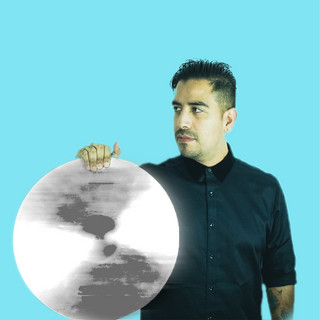
Faces work. Including the talent’s face creates a kind of welcome message for the audience even before the video begins. Human faces are captivating; they build trust, and platforms like YouTube even prioritize them because they improve click-through rates.
Keep text short and sharp. Around 5 words is a sweet spot. Enough to communicate the key idea without overwhelming viewers. If it’s too wordy, the audience will just scroll past.
Highlight key moments. Sometimes the best thumbnail isn’t staged; it’s a frozen frame of an impactful moment in the video that visually summarizes the story.

A quick note on where my workflow comes from
The workflow I’m sharing here didn’t show up overnight. It’s something I’ve developed over the years while producing online courses, producing content for the hospitality industry, being around the music business, and creating content for social media. Different industries, same rule: If the visual doesn’t earn attention, the content doesn’t get a chance.
Now let’s get into the practical stuff.
1) Start with the “Talent Pose.”
(A Smart Alternative to Lower Thirds and a Thumbnail Win)
This isn’t just for professors. This is for any talent: the creator, the instructor, the host, the guest, whoever the viewer is connecting with.
One of my favorite production moves is simple:
Have the talent pose on camera for about 10 seconds at the start of the recording.
Look directly at the camera
Big, natural smile
Calm, welcoming energy
A couple of variations, if possible


Why it works: faces build trust. Humans are wired to lock onto faces. It adds familiarity before the viewer even presses play.
And honestly? It’s also a clean alternative to relying only on lower thirds to “introduce” someone. Instead of a name graphic doing all the work, the viewer gets a real human moment first.
Real-world bonus: capture the laugh / the real moment
This works beautifully during interviews, too. Some of the best thumbnail frames aren’t posed; they’re real.
If you’re interviewing someone, keep an eye out for the moment where:
They laugh
They react
They look genuinely confident
They are mid-story and fully “alive” on camera
That kind of frame gives you a thumbnail that feels authentic. And it can also feel more cinematic and less “template.”

2) Build a Title Card Once… and Reuse It Like a Pro
(and why this is HUGE for thumbnails)
This is one of the biggest “work smarter, not harder” moves you can make in video content production:
Design a strong Title Card inside the actual video.
Why? Because that Title Card can double as:
Your main video opener
Your course branding moment
Your thumbnail (without needing to design a separate image from scratch)

Here’s how I think about it:
When a video starts feeling intentional instead of pieced together, it’s usually because it has a consistent visual system. A solid Title Card sets that tone immediately. It tells the viewer:
“You’re in the right place. This is organized. This is professional.”
The practical win (Premiere Pro workflow)
Since the Title Card lives inside your timeline, you can:
Design the Title Card using imported design assets
Make sure it’s readable and clean at a small size
Add animated typography, motion drawings, and subtle stop-motion textures
Then export the thumbnail directly from Premiere Pro by pausing on that Title Card frame and clicking the camera icon in the Program Monitor

That’s the huge part because you’re not leaving Premiere. You’re not digging for screenshots later. You’re not redesigning the same thing twice.
You’re creating a strong visual moment once and using it everywhere.
What makes a great Title Card thumbnail?
A short headline (5 words max)
High contrast, easy readability
Simple composition (not too busy)
Consistent font + style across the course
Optional: icons or shapes that match the topic
A well-designed Title Card is one of the cleanest, fastest ways to make better thumbnails, especially when you’re producing multiple videos and want everything to feel cohesive.


3) Create Thumbnails That Match the Topic
Now we zoom into topic-specific thumbnails.
Every video should visually hint at what the viewer is about to learn, especially in online learning, where students are making quick decisions based on the first impression.
My basic workflow:
Grab a strong frame or relevant B-roll
Add a short, clear title (5 words max)
Maintain a strong contrast for better readability
Keep the style consistent across the series
This isn’t about being fancy. It’s about clarity.
A good thumbnail answers instantly:
“What is this video about?”


Quick Rules I Live By
Faces build trust
5 words max (unless it’s a very intentional center design)
Readable at small sizes
Strong contrast always wins
Consistency > complexity
Design the title card inside Premiere whenever possible
If the thumbnail doesn’t communicate the topic in 2 seconds… redo it
Final Thought
A thumbnail isn’t decoration.It’s not an afterthought.It’s the front door.
The thumbnail sets expectations. Match it to the quality of the video, and the experience starts before play.

Comments